Capture reframed photos
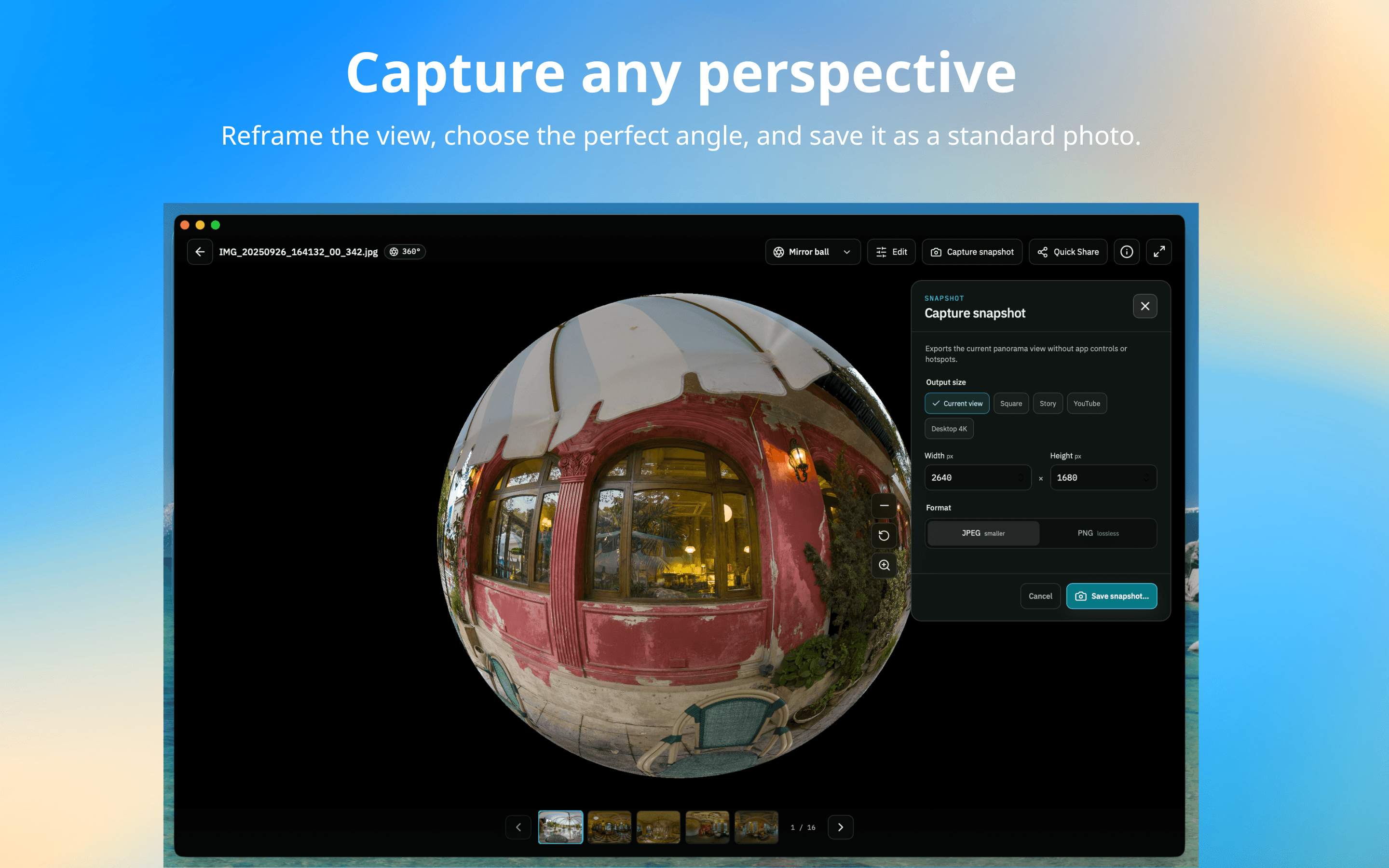
One panorama, so many possibilities. Reframe the view, choose the perfect angle, and save it as a standard photo.
From the whole scene to your favorite detail.

PanoCool Desktop
Open and explore panoramas stored on your device. Capture reframed photos, enhance color and light, remove objects, and add text or images.
System requirements & release details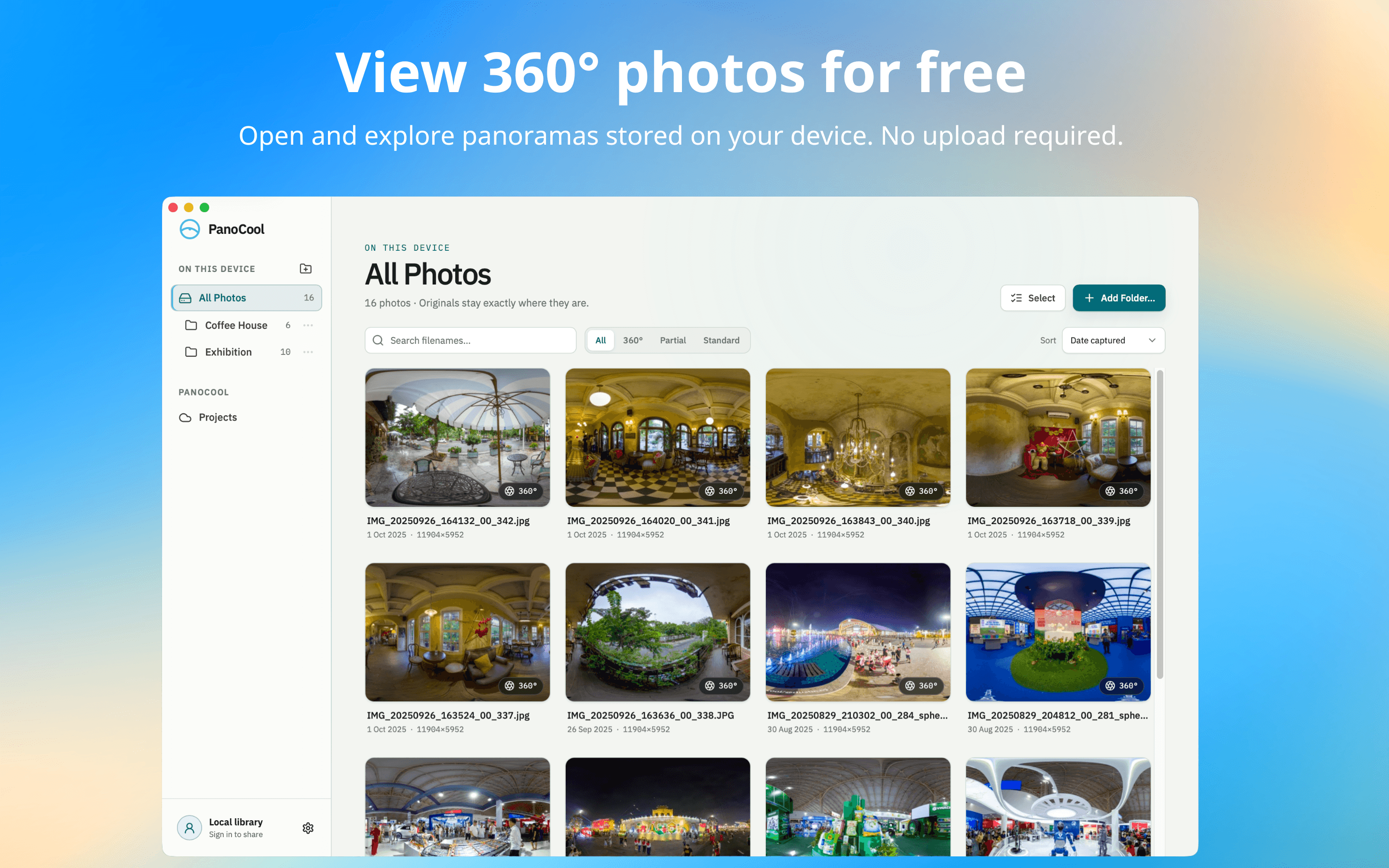
More from every panorama
A fresh perspective. A little polish.
All in one desktop app.
One panorama, so many possibilities. Reframe the view, choose the perfect angle, and save it as a standard photo.
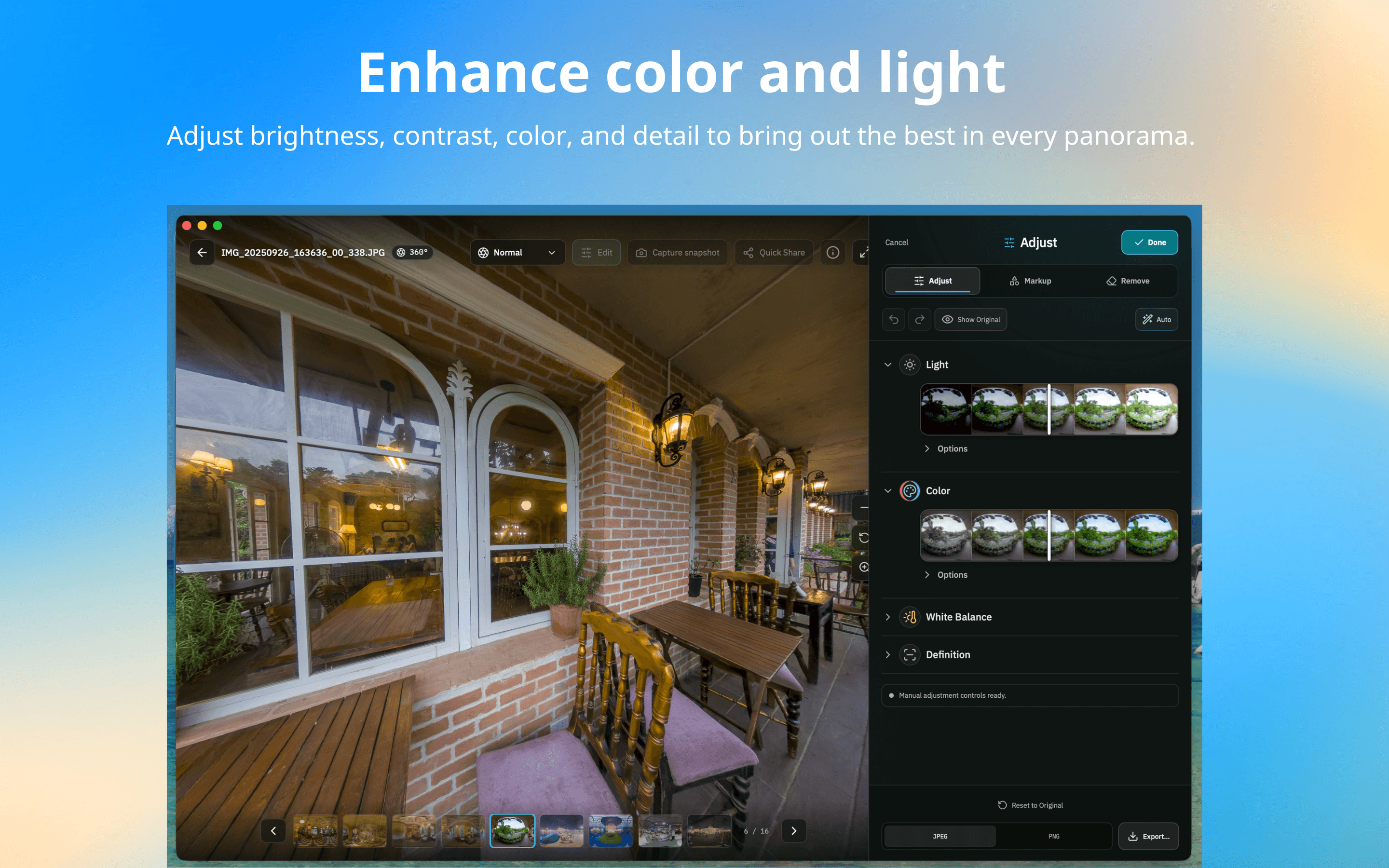
Bring out the best in every panorama. Adjust brightness, contrast, color, and detail until the scene feels just right.
The finishing touches
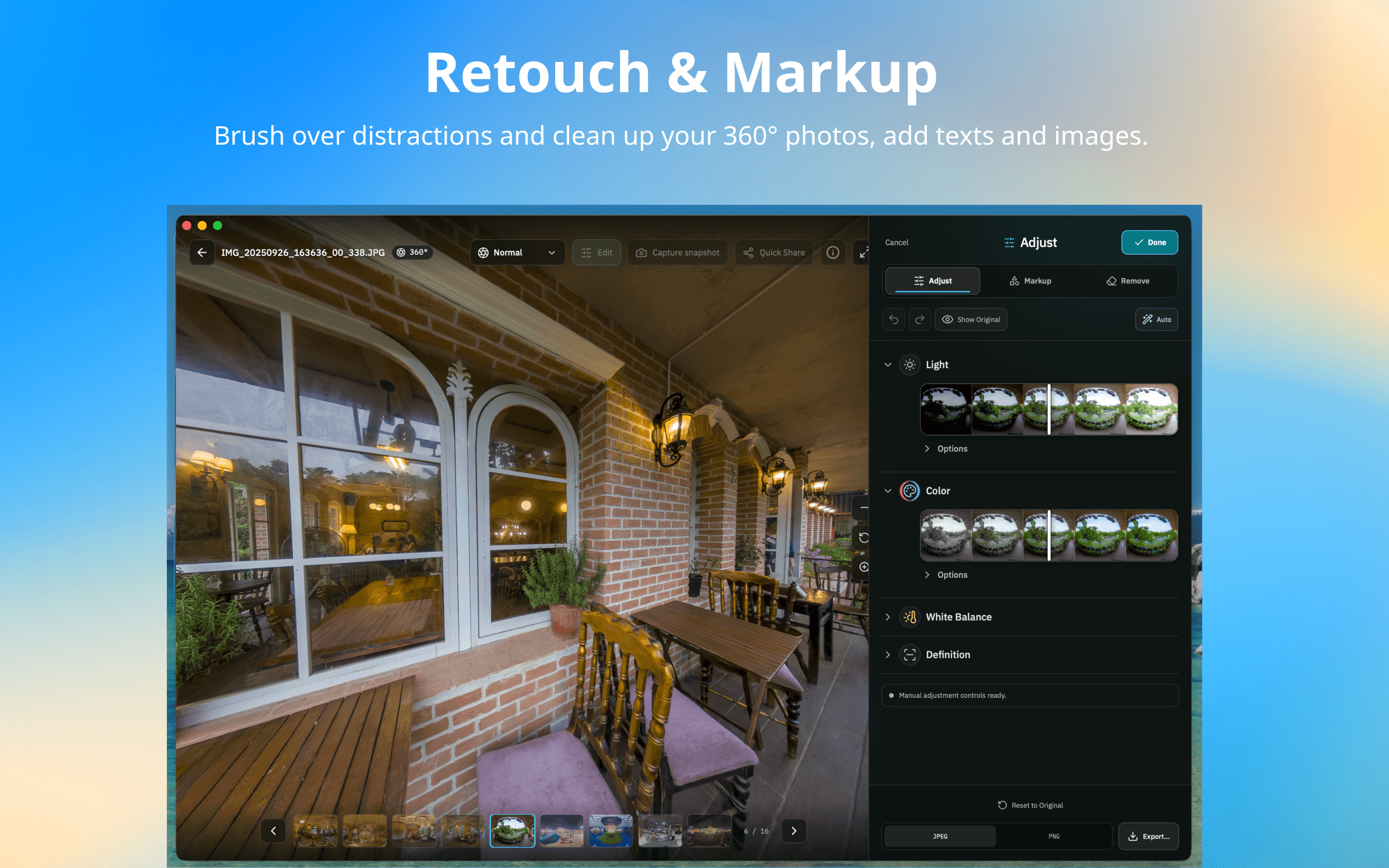
Brush over unwanted objects to clean up your photos and keep the focus on the scene.
Add text and images to highlight a detail, leave a note, or give your photos a watermark of your own.
Bring your panoramas home
Get PanoCool for your computer. Start exploring your 360° photos for free.
Latest release0.3.0Oct 1, 2026
Windows 10 or Windows 11 · x64
Download for WindowsmacOS 12 or later · Apple silicon and Intel
Download for macOSDownload the version for your Windows PC or Mac.
Run the Windows setup, or open the DMG and move PanoCool to Applications.
Add a folder from your device and start exploring your panoramas.
Need a hand? Get in touch